Prescriptions
Write a prescription in seconds from your own medicines list, then print it or send it.
1The prescriptions page
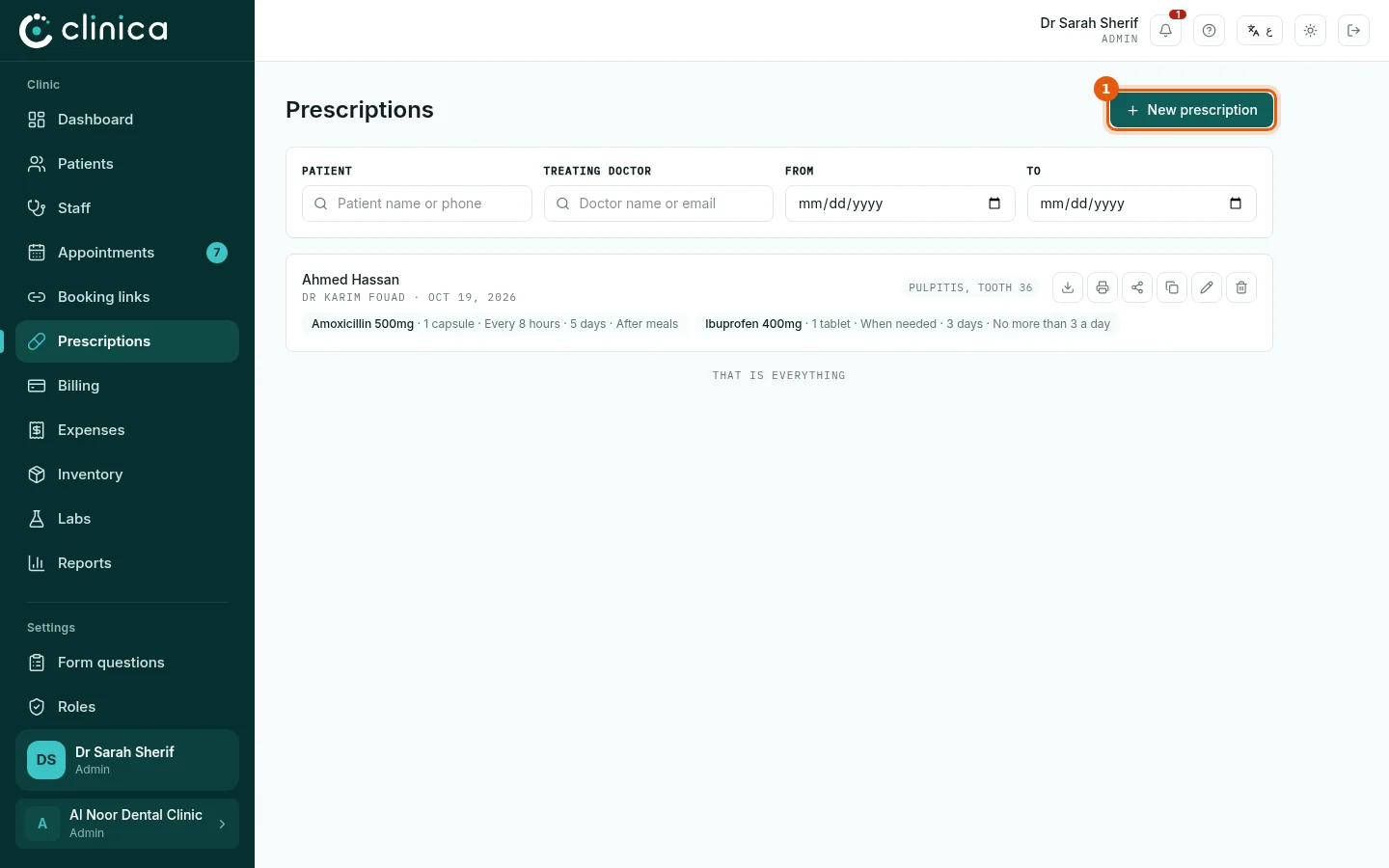
Open Prescriptions to see every prescription the clinic has issued, searchable by patient or doctor. Press 1 New prescription. A prescription can also be written from the patient's profile, already filled in with their name.
2Write it
Choose the patient and the treating doctor and write the diagnosis. For each medicine, type its name to pick it from My medicines or the common medicines, then fill in the dose, the frequency, the duration and any instructions. Press Issue prescription.
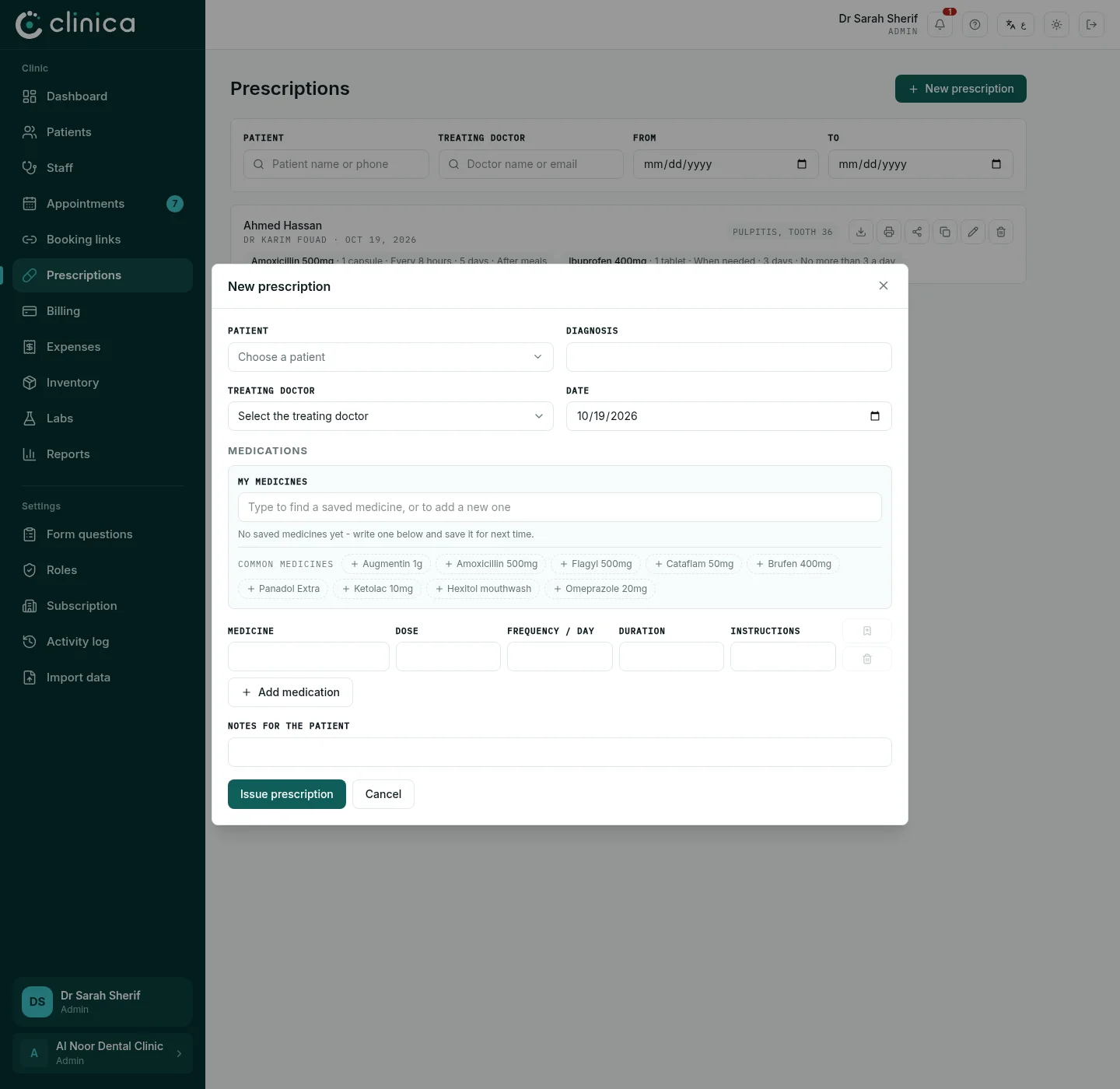 A medicine you write often can be kept with Save to my medicines; next time its dose and instructions fill themselves in.
3Print or send it
Each prescription can be printed on your clinic's letterhead with Print, saved with Download PDF, or sent to the patient on WhatsApp as a link they can open on their phone and show at the pharmacy.
Only staff in a medical department can be named as the prescribing doctor.