Your clinic profile
The name, logo, address and payment methods your patients see.
The clinic profile is printed on invoices, receipts and prescriptions, and shown on every page you send a patient. Complete it before you start.
1Open the clinic profile
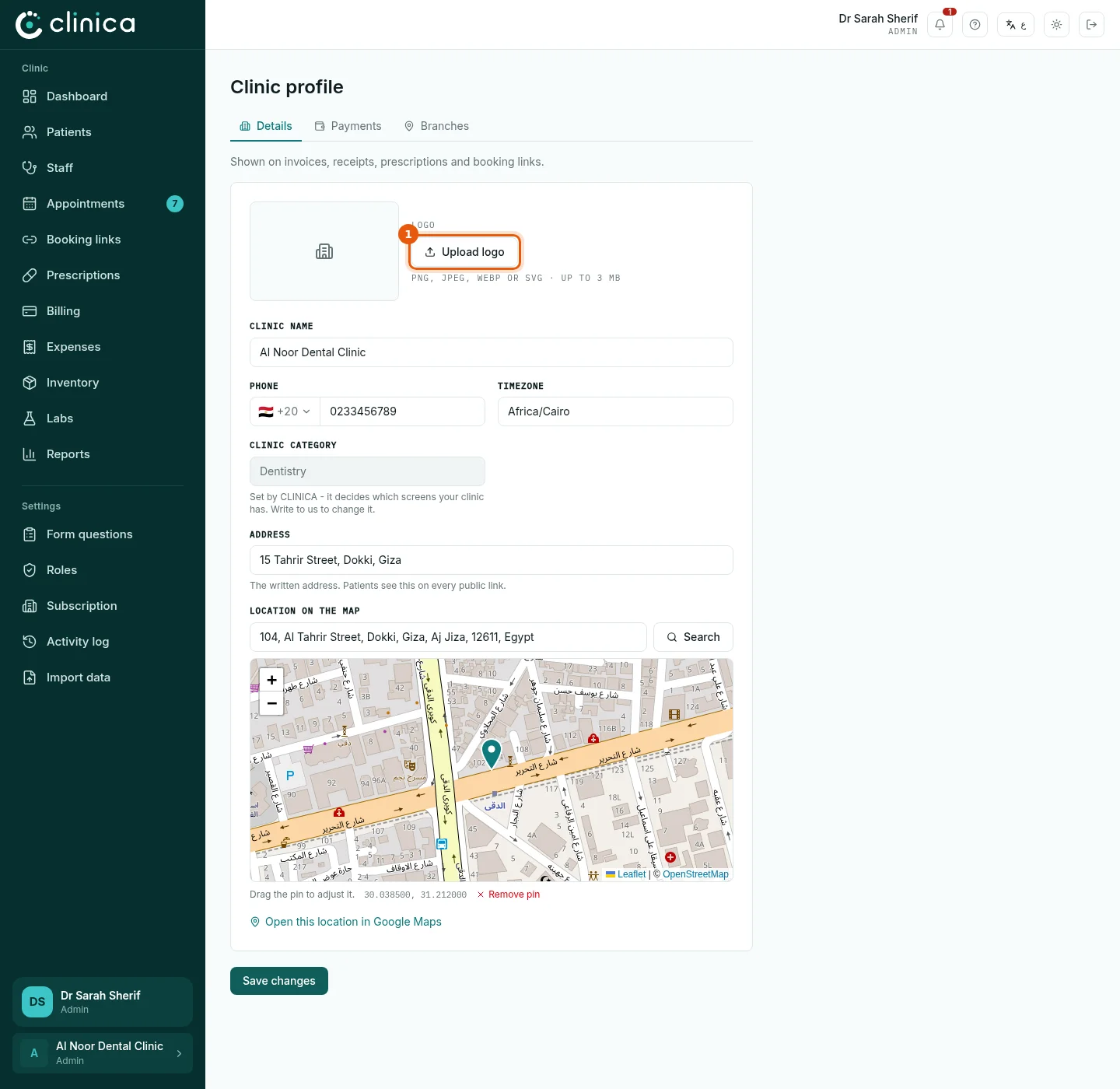
Press the clinic name at the bottom of the side menu and choose Clinic profile (on a phone: More, then Clinic profile). On Details, press 1 Upload logo to add your logo, then check the clinic name, phone and written address.
2Set the location on the map
Search for your address under the map, or drag the pin to the clinic's door. Patients get a directions link with their booking. Press Save changes when you are done.
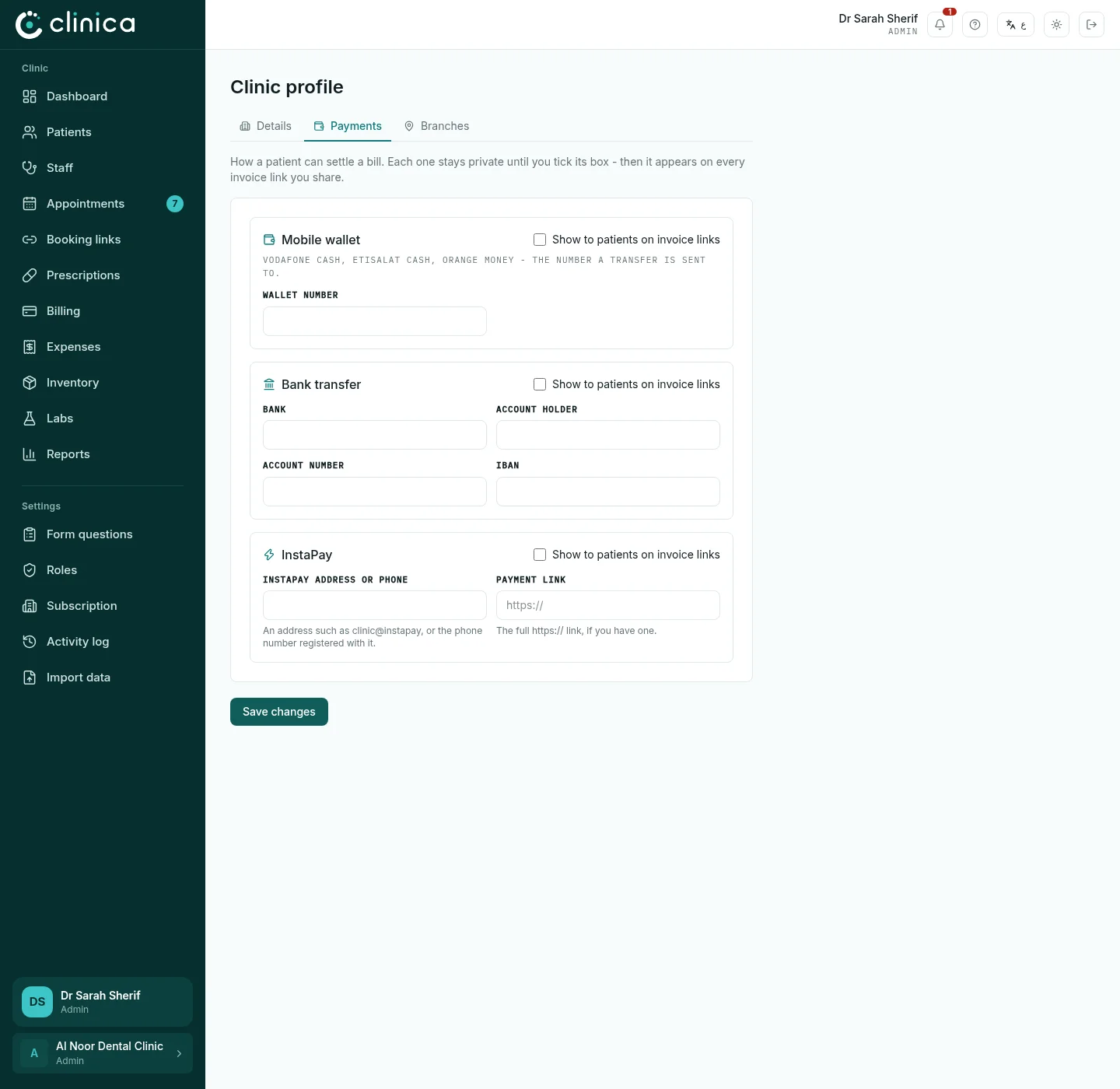
The clinic category (dental, dermatology...) is set by the Clinica team because it decides which screens you have. Write to us to change it.3Payment methods
On Payments, fill in how patients can pay you: a mobile wallet number, a bank account, or InstaPay. Each method stays private until you tick Show to patients on invoice links; it then appears on every invoice link you send.