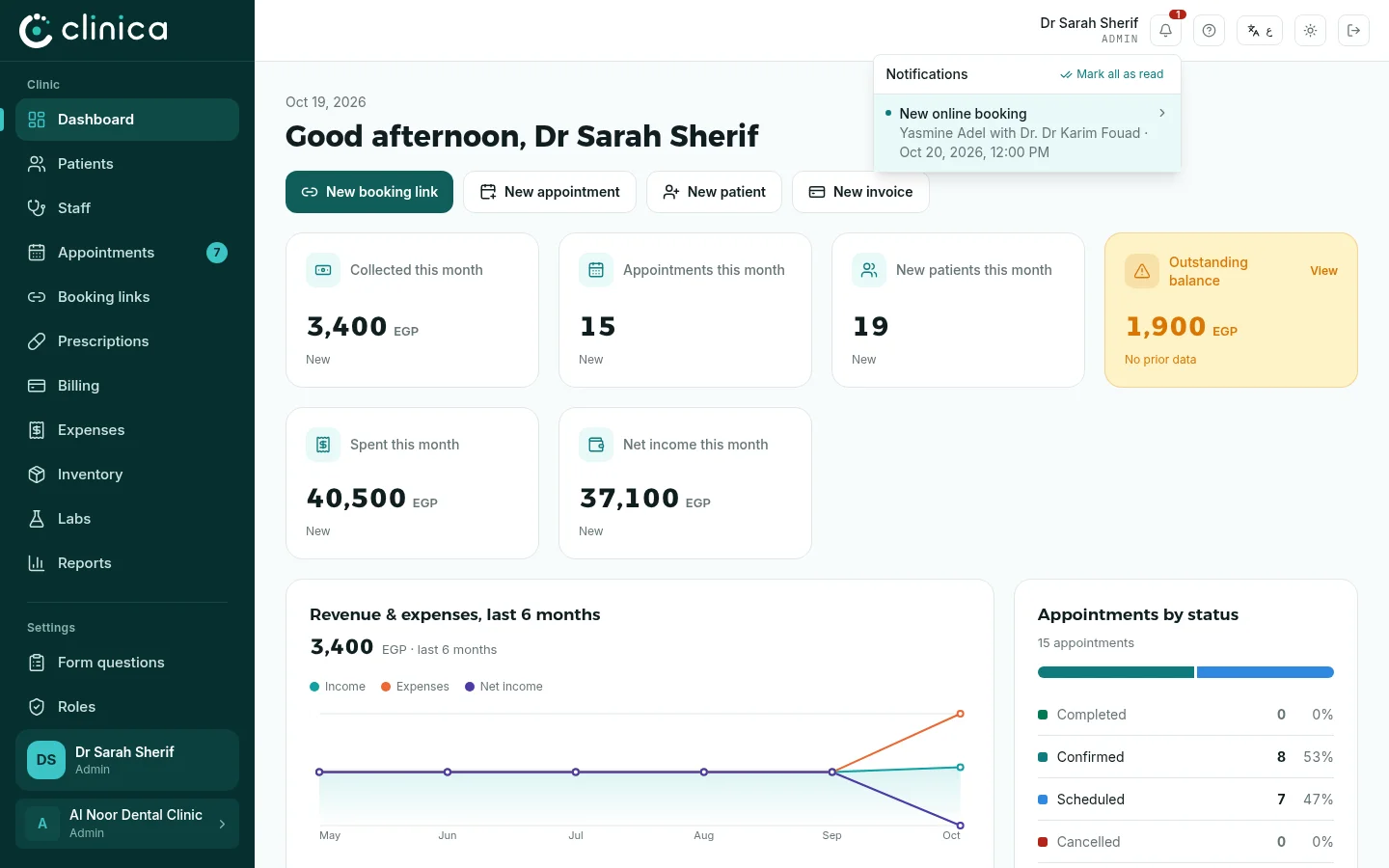
Notifications
Get told about new bookings, confirmations, cancellations and low stock, on every device.
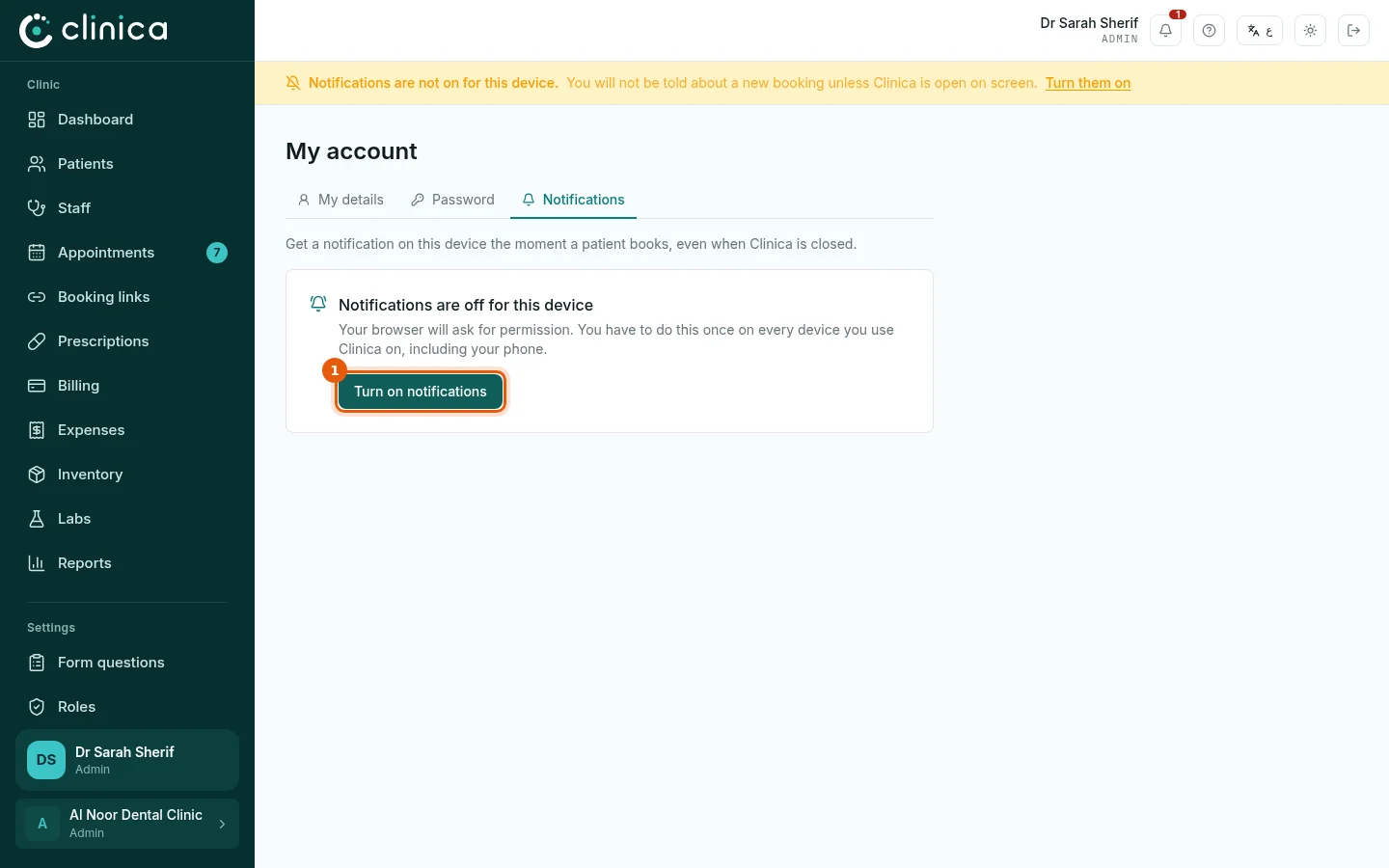
Notifications are turned on per device: do it once on every computer and phone you use Clinica on. Until you do, a reminder bar stays at the top of the screen.
1Turn them on
Open Account from your name at the top of the screen, then Notifications. Press 1 Turn on notifications and allow notifications when the browser asks.
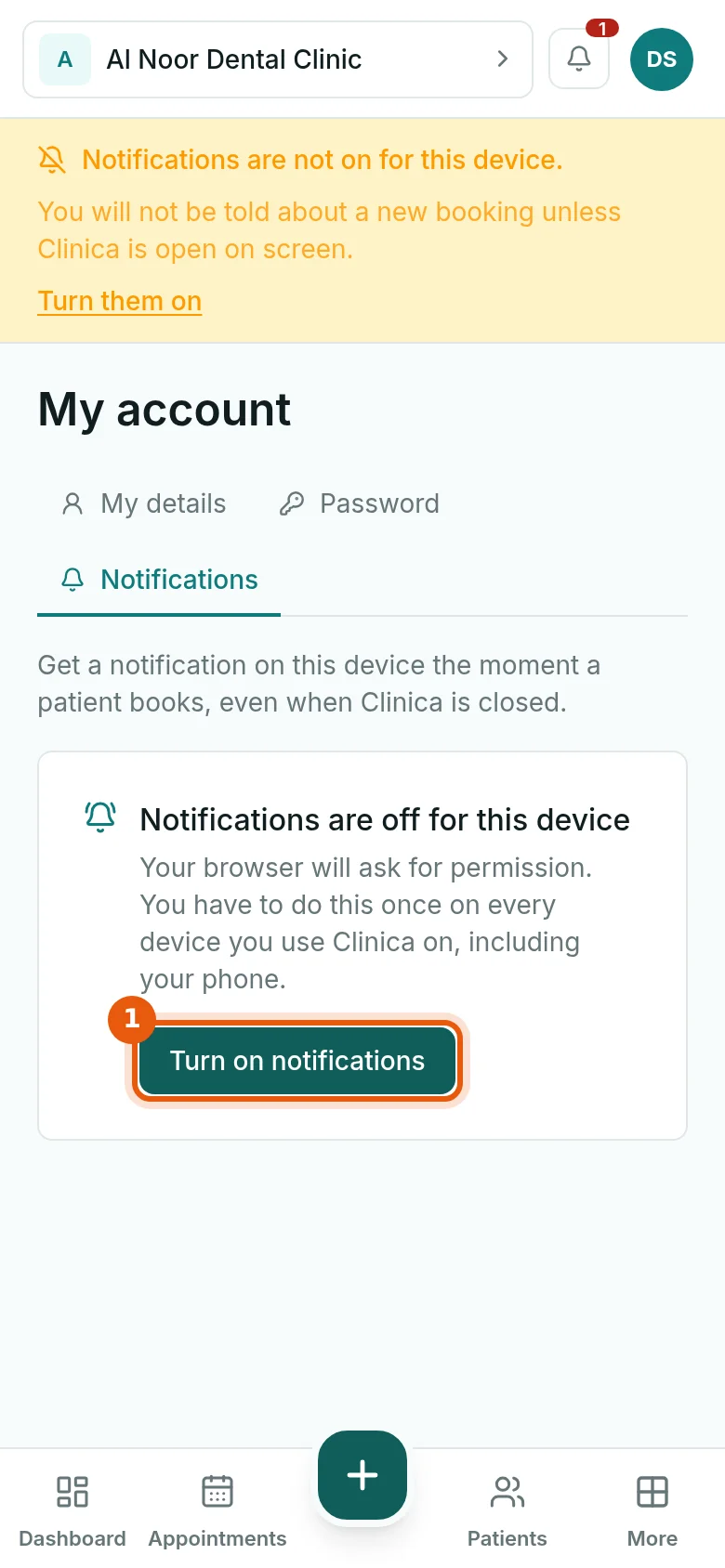 If you refused by mistake, only the browser's site settings can undo it: allow notifications for clinica-cloud.com there, then reload the page.
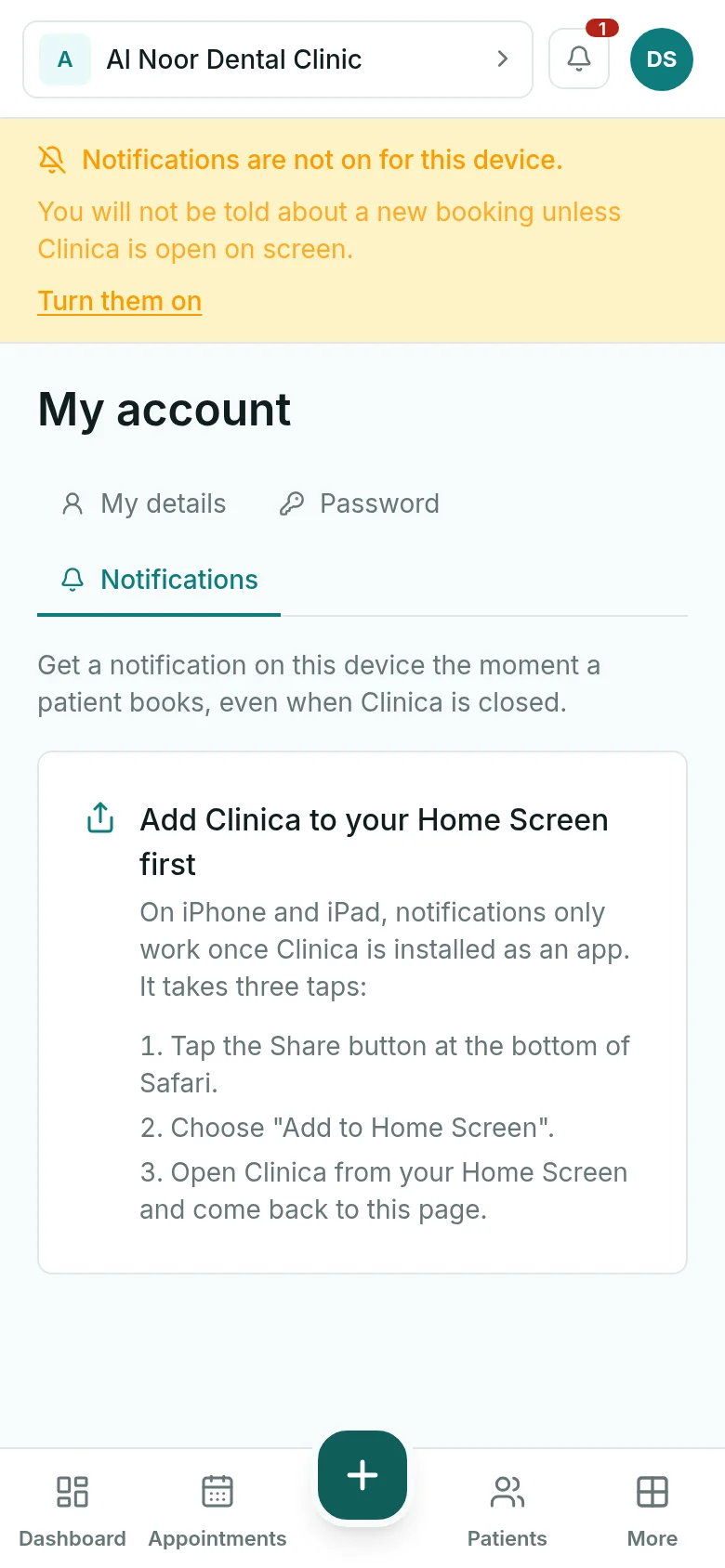
2On an iPhone or iPad
Apple only allows notifications for sites added to the Home Screen. In Safari, tap Share, choose Add to Home Screen, open Clinica from the new icon, and turn notifications on from there.
3The bell
Everything you are notified about is also kept under the bell at the top of the screen, with the newest first. Press an item to open the appointment or the item it is about.