Invoices and payments
Bill a patient, take full or part payments, and send the invoice on WhatsApp.
1The billing page
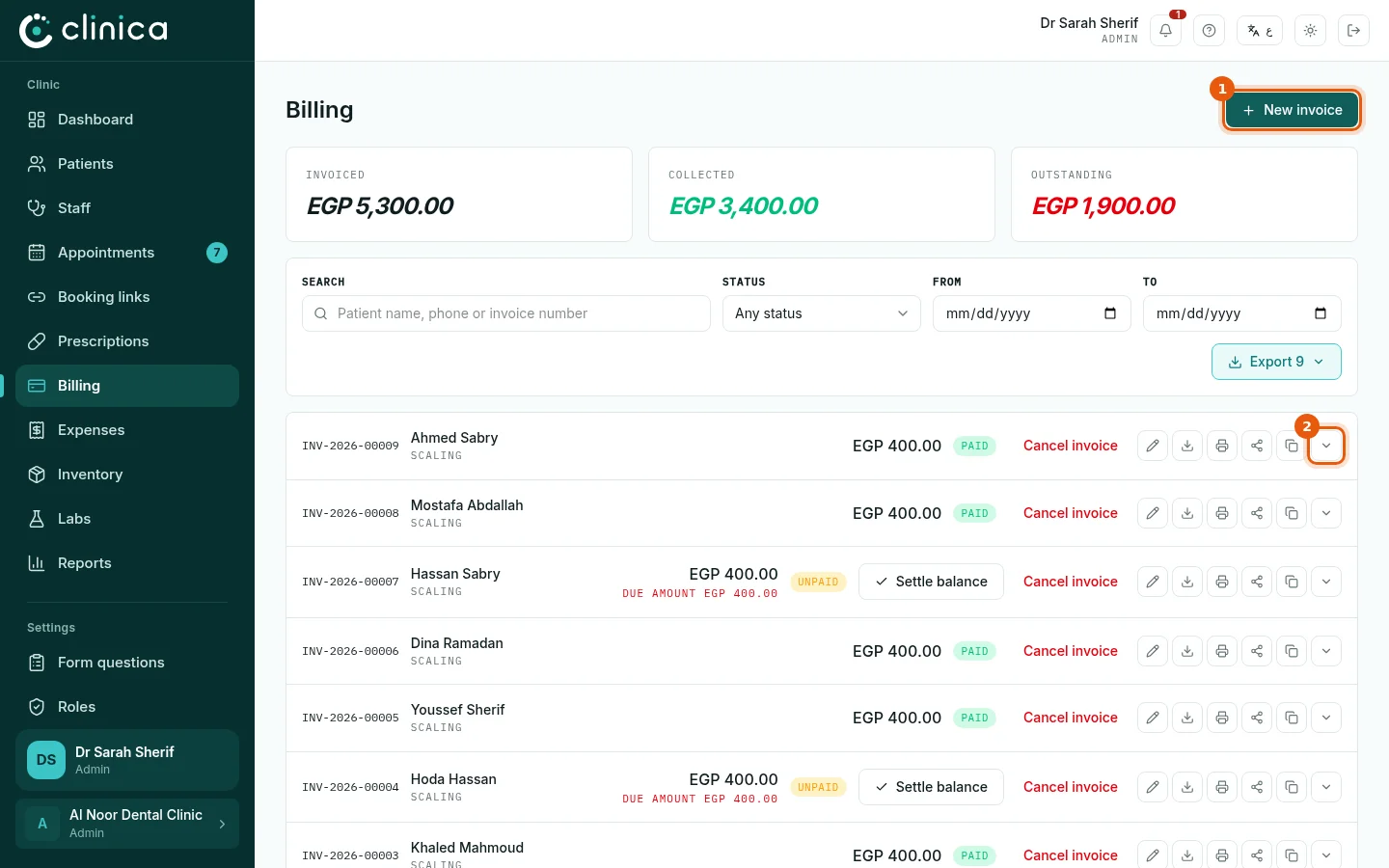
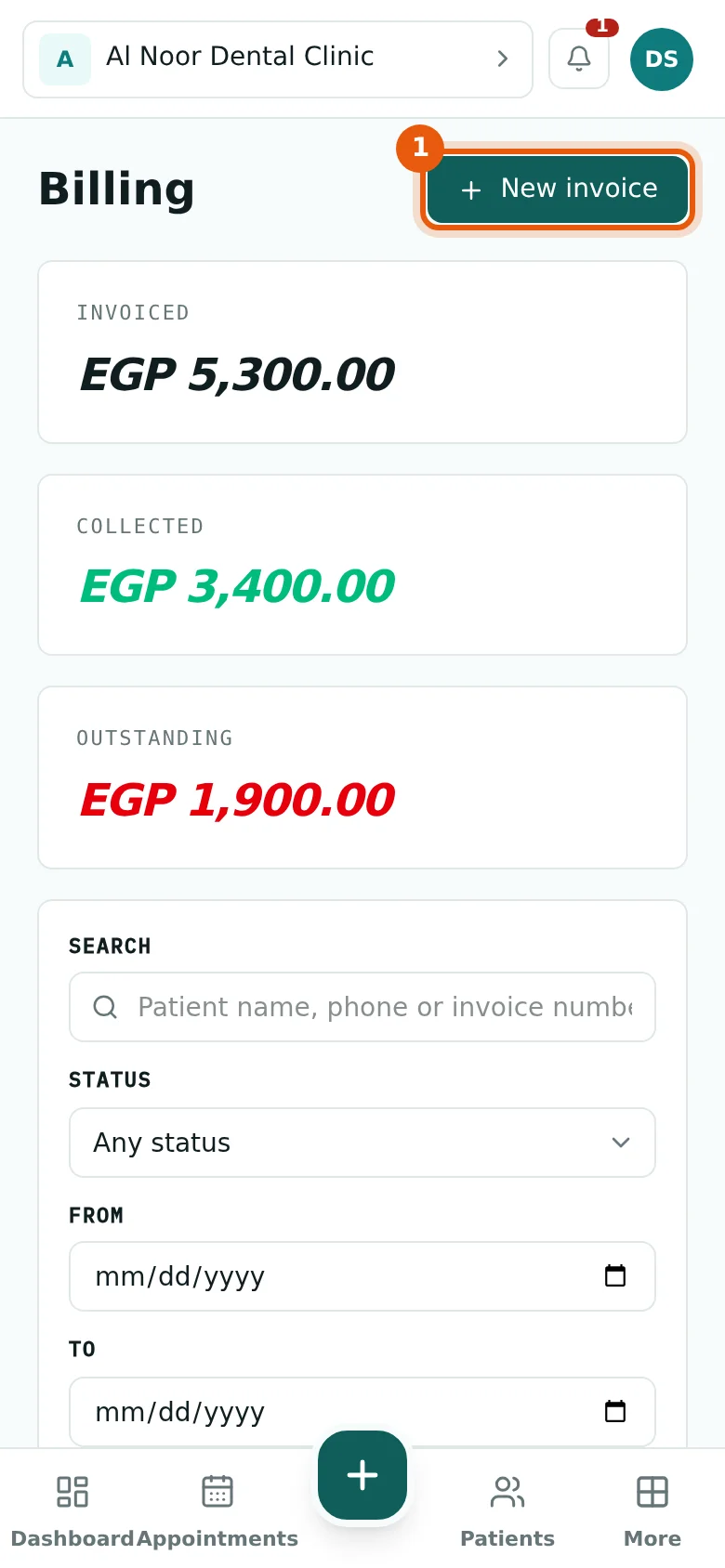
Open Billing. Every invoice is listed with its patient, amount and what is still due, with the clinic's totals collected and outstanding at the top. Search by patient name, phone or invoice number. Press 1 New invoice to bill a patient. The arrow 2 at the end of a row opens the invoice's services and receipts.
2Create an invoice
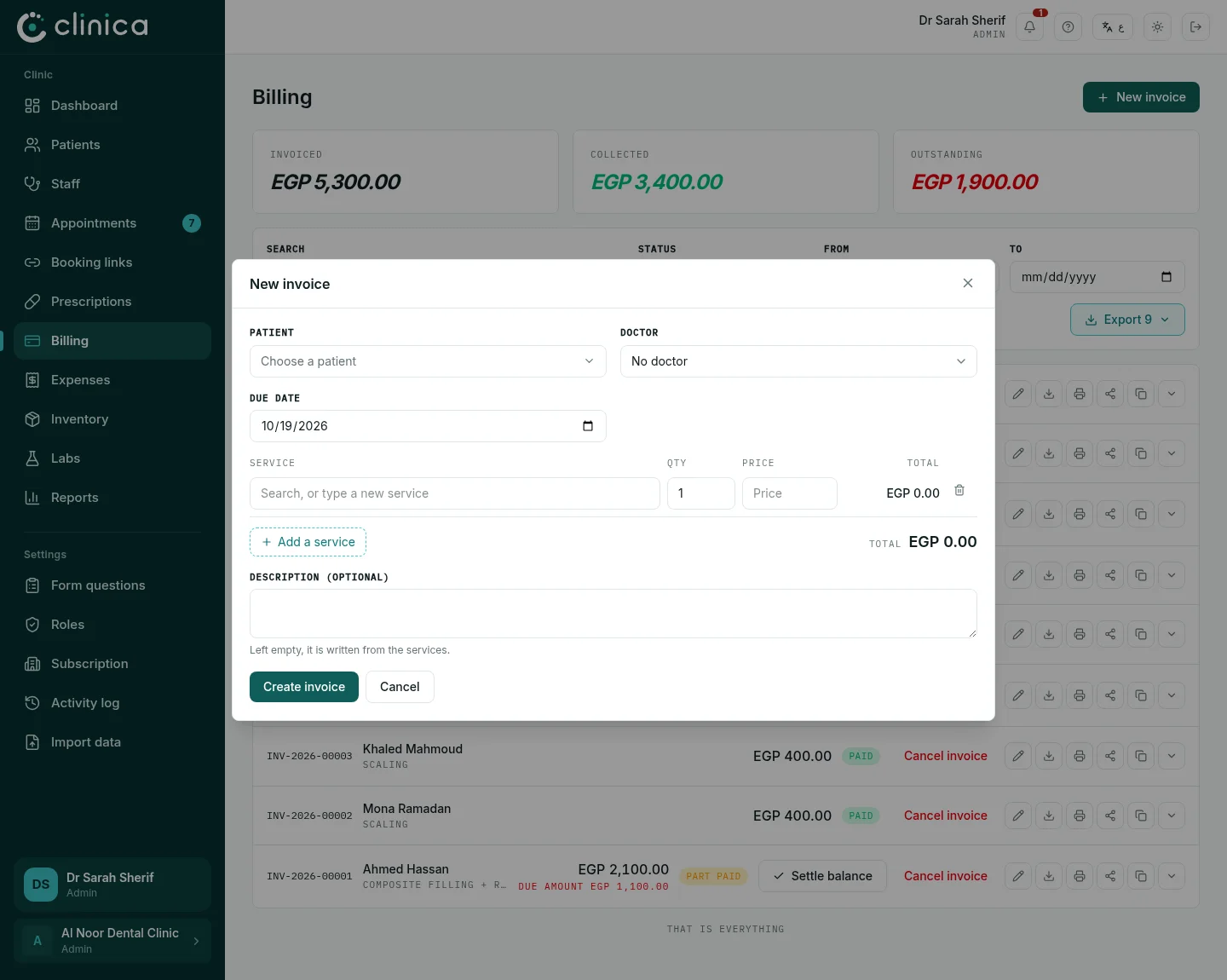
Choose the patient and the doctor, then add each service with its teeth, quantity and price; the total adds itself up. Set a due date if the patient will pay later, and press Create invoice. Work recorded on the dental chart can also be billed in one step from the chart's own invoice button.
3Take a payment
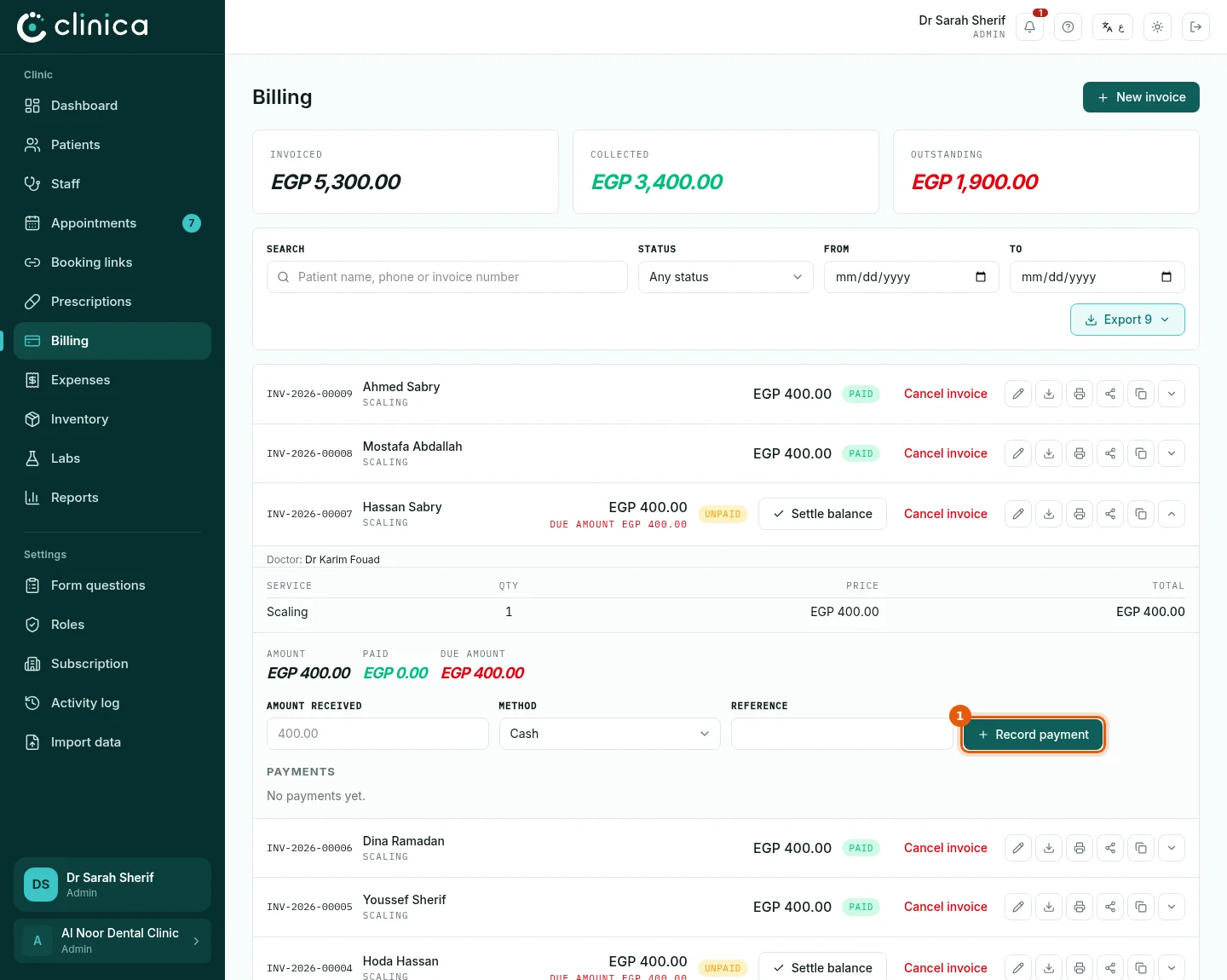
On an invoice that is still owed, press Settle balance when the patient pays everything left. To take part of it, open the invoice with its arrow: under it, enter the Amount received, the method (cash, card, bank transfer...) and a reference if there is one, and press 1 Record payment. Each payment gets its own numbered receipt, listed under the invoice, and the invoice shows paid, part paid or unpaid on its own.
 A receipt entered by mistake is cancelled with Cancel receipt, with a reason; it stays visible as cancelled, so the record is never lost.
4Send or print the invoice
Send via WhatsApp opens WhatsApp with a link to the invoice; the patient sees it with your logo and the payment methods you published in the clinic profile. Print invoice and Download PDF give a paper or PDF copy.