The patient profile
Appointments, dental chart, invoices, prescriptions, photos and files in one place.
1The top of the file
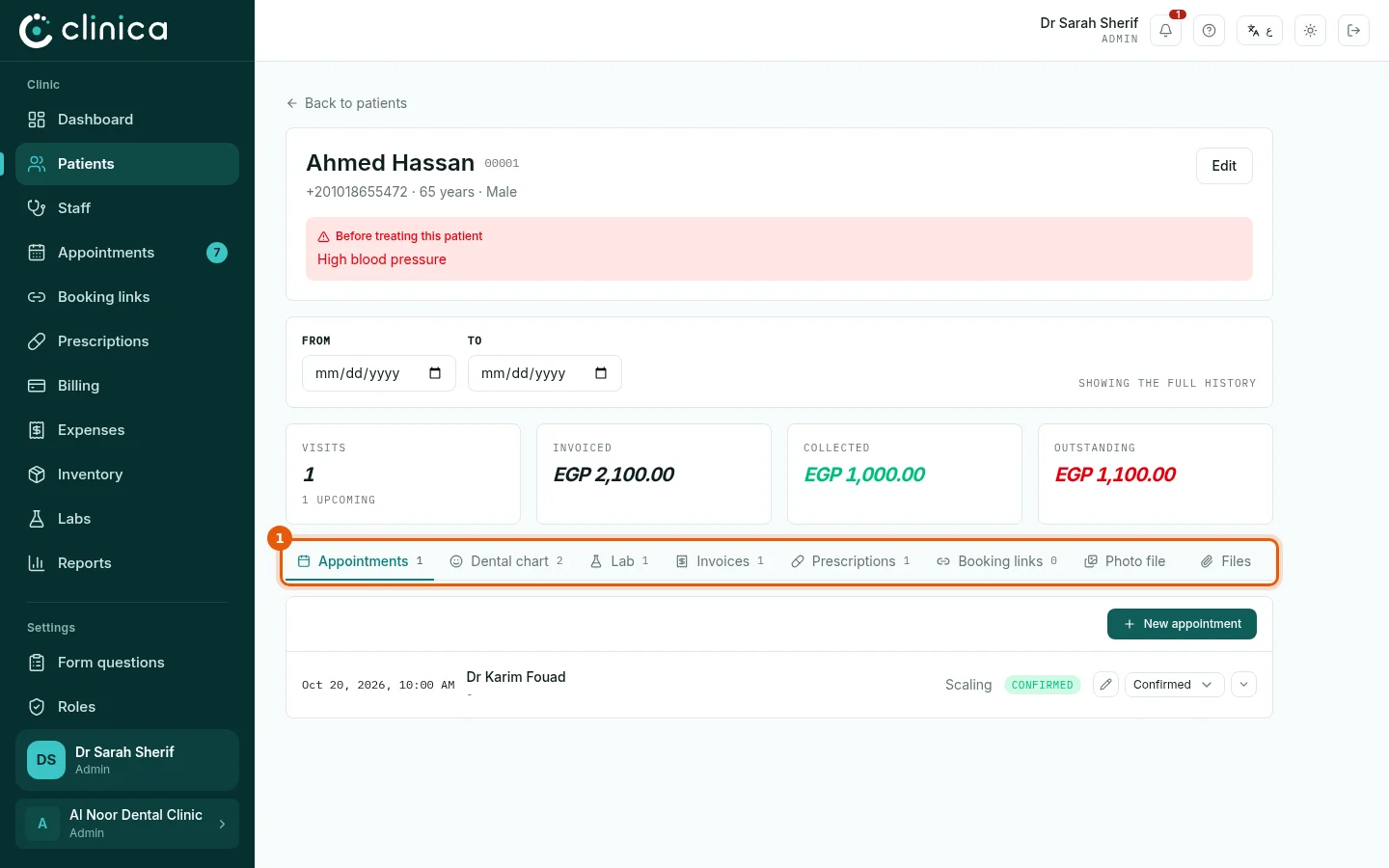
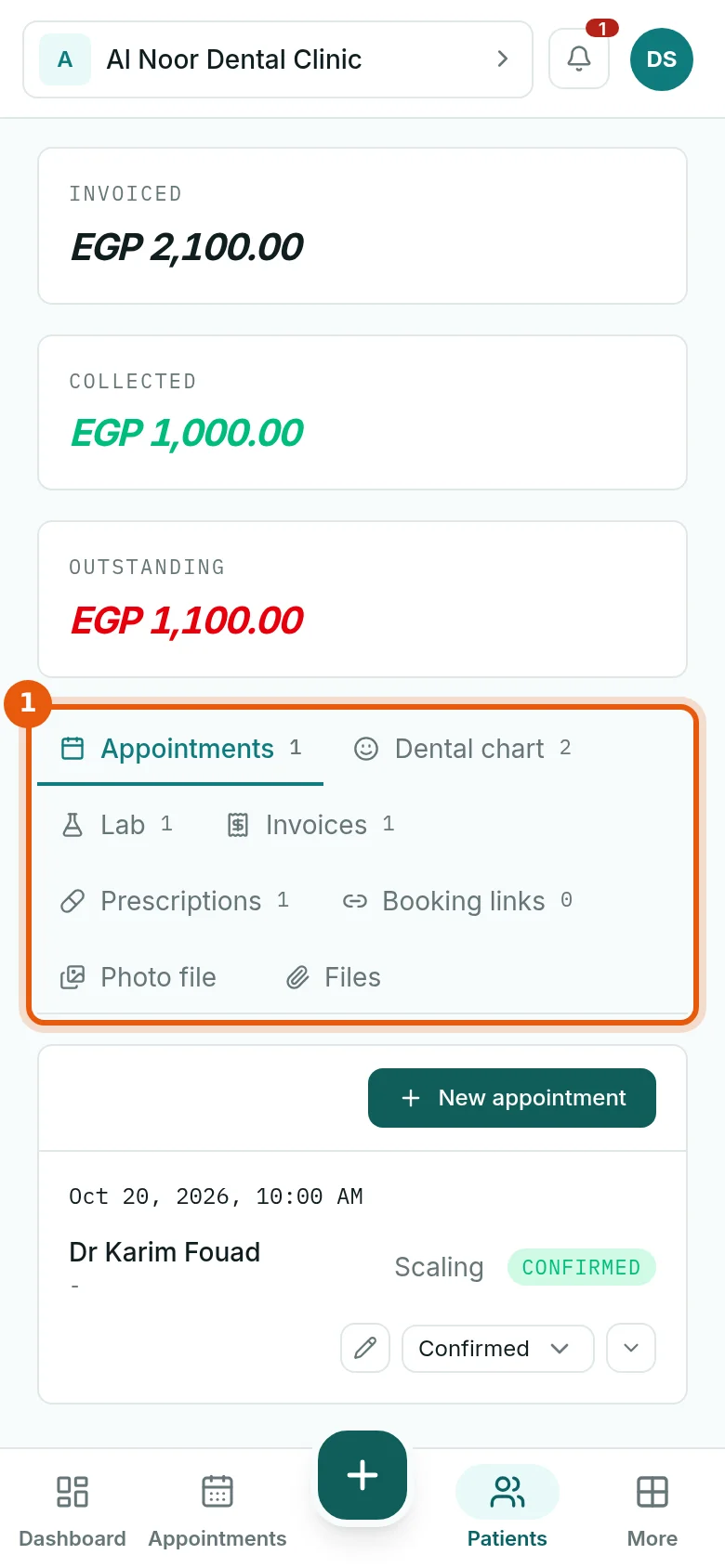
Open a patient from Patients. The top shows their file number, phone, age and any medical warning to read before treatment. Below it, a date range filters every tab, and four totals show visits, invoiced, collected and outstanding. The tabs 1 hold the rest of the file.
2The dental chart
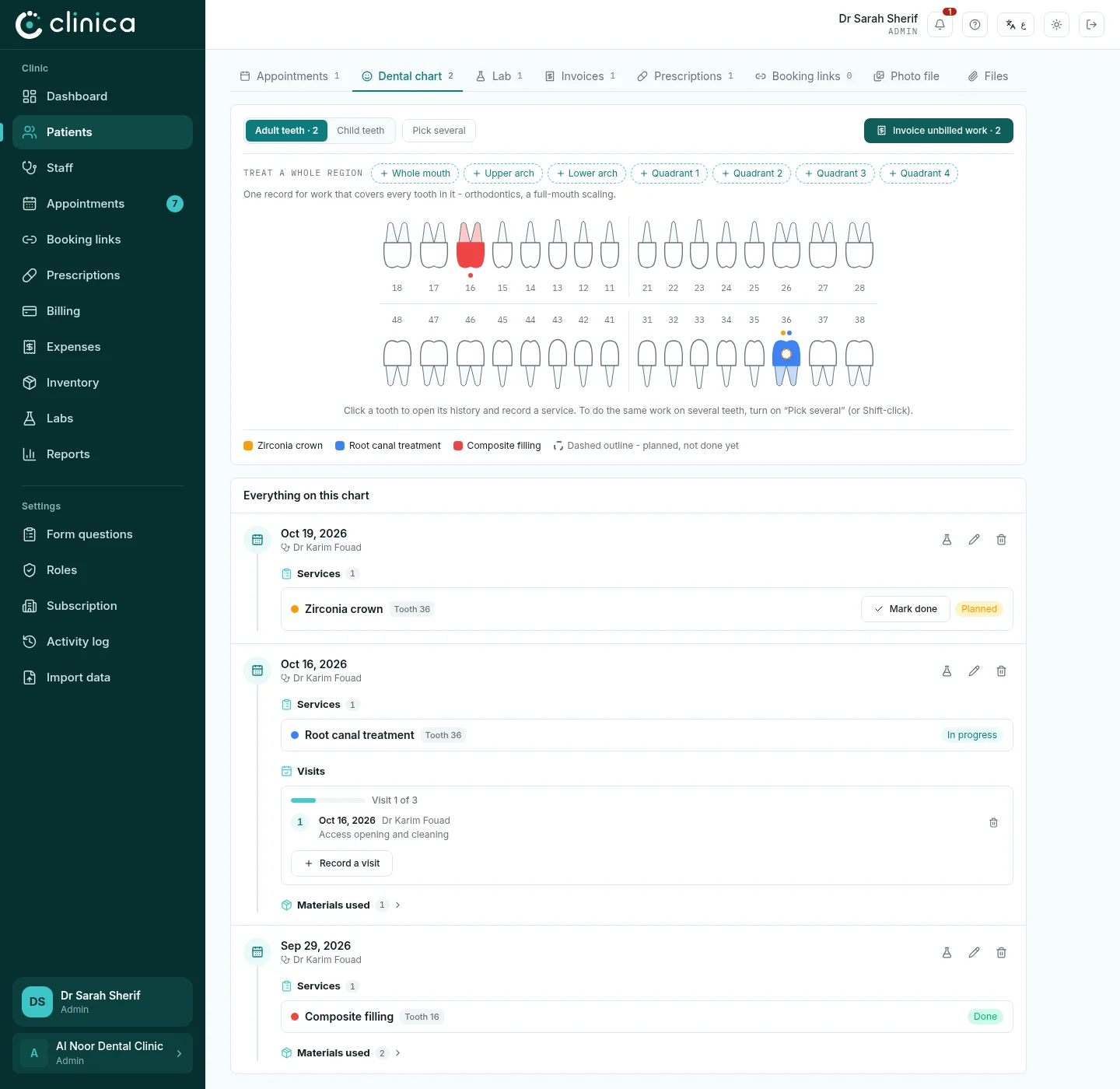
Dental chart shows the teeth with every treatment coloured by service. Switch between adult and child teeth, or treat a whole region (the whole mouth, an arch or a quadrant). Below the chart is everything recorded, newest first.
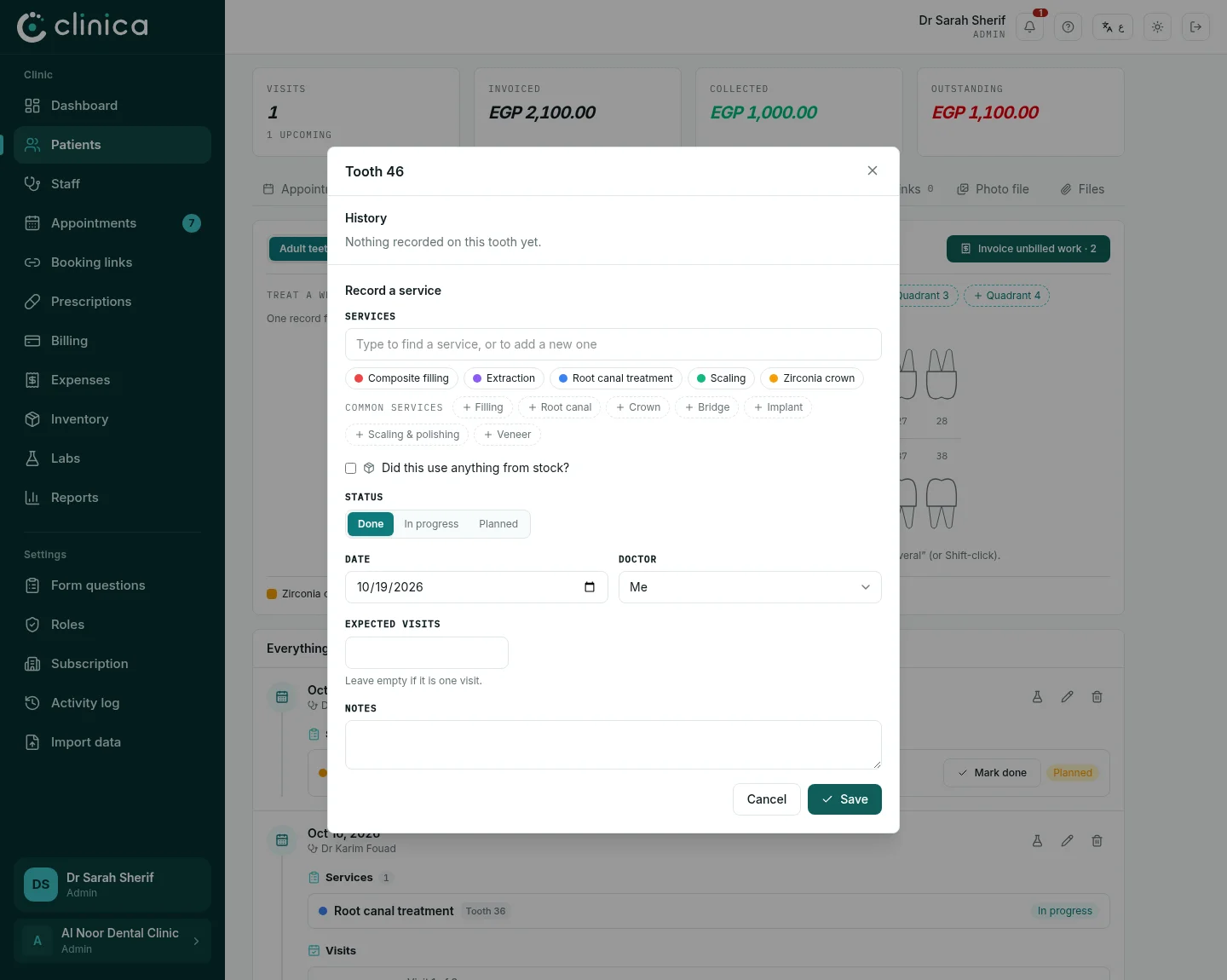
3Record a treatment
Press a tooth. Choose the service (or type a new one), whether it is done, in progress or planned, the date and the doctor, and how many visits it is expected to take. Press Save. Planned work stays on the chart until it is done, and appears in the outstanding treatment plans report.
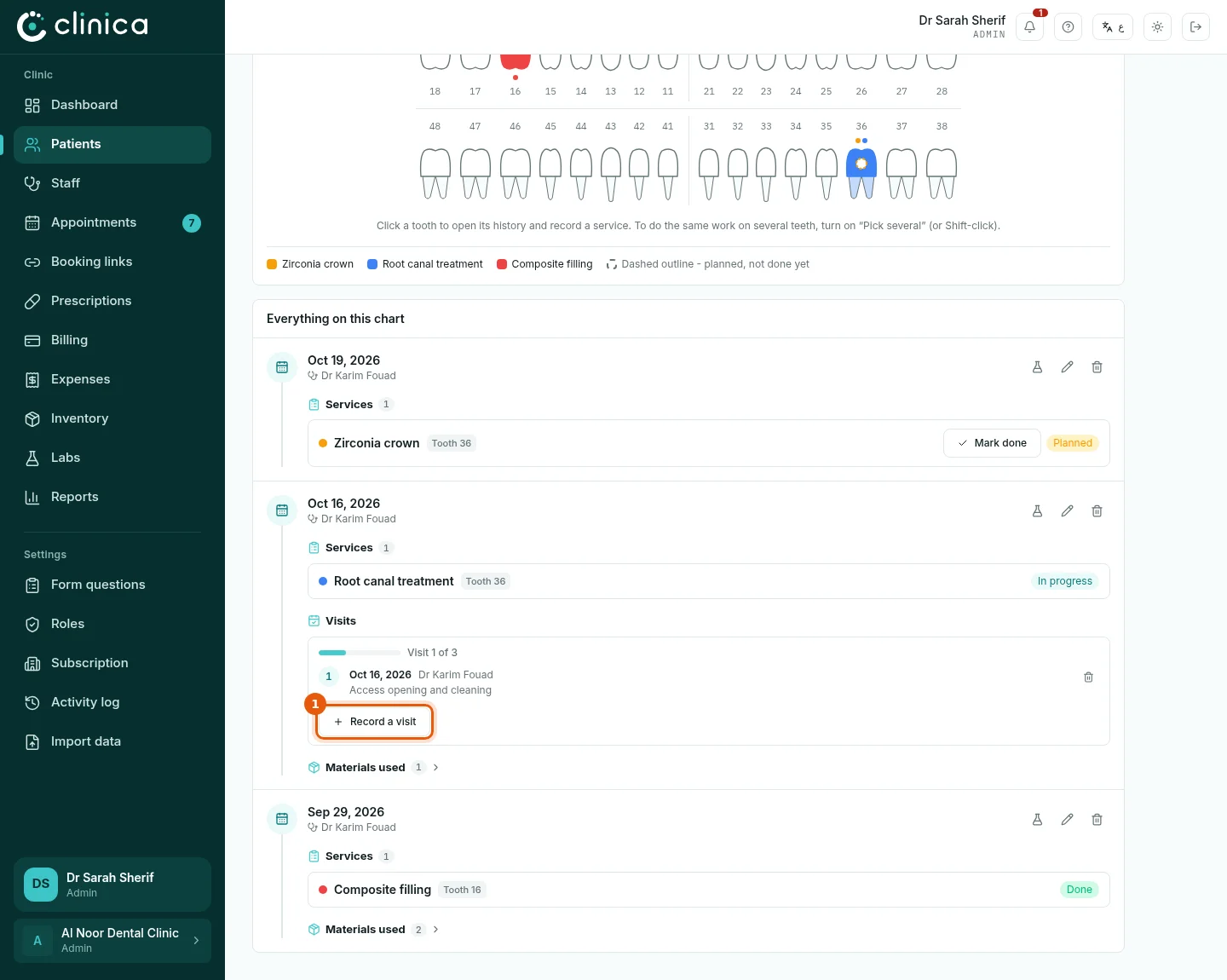
4Visits of a longer treatment
A treatment that takes several visits, such as a root canal, shows its progress. Press 1 Record a visit at each visit to record what was done; tick the last visit to complete it. The button at the top of the chart turns unbilled work into an invoice in one step.
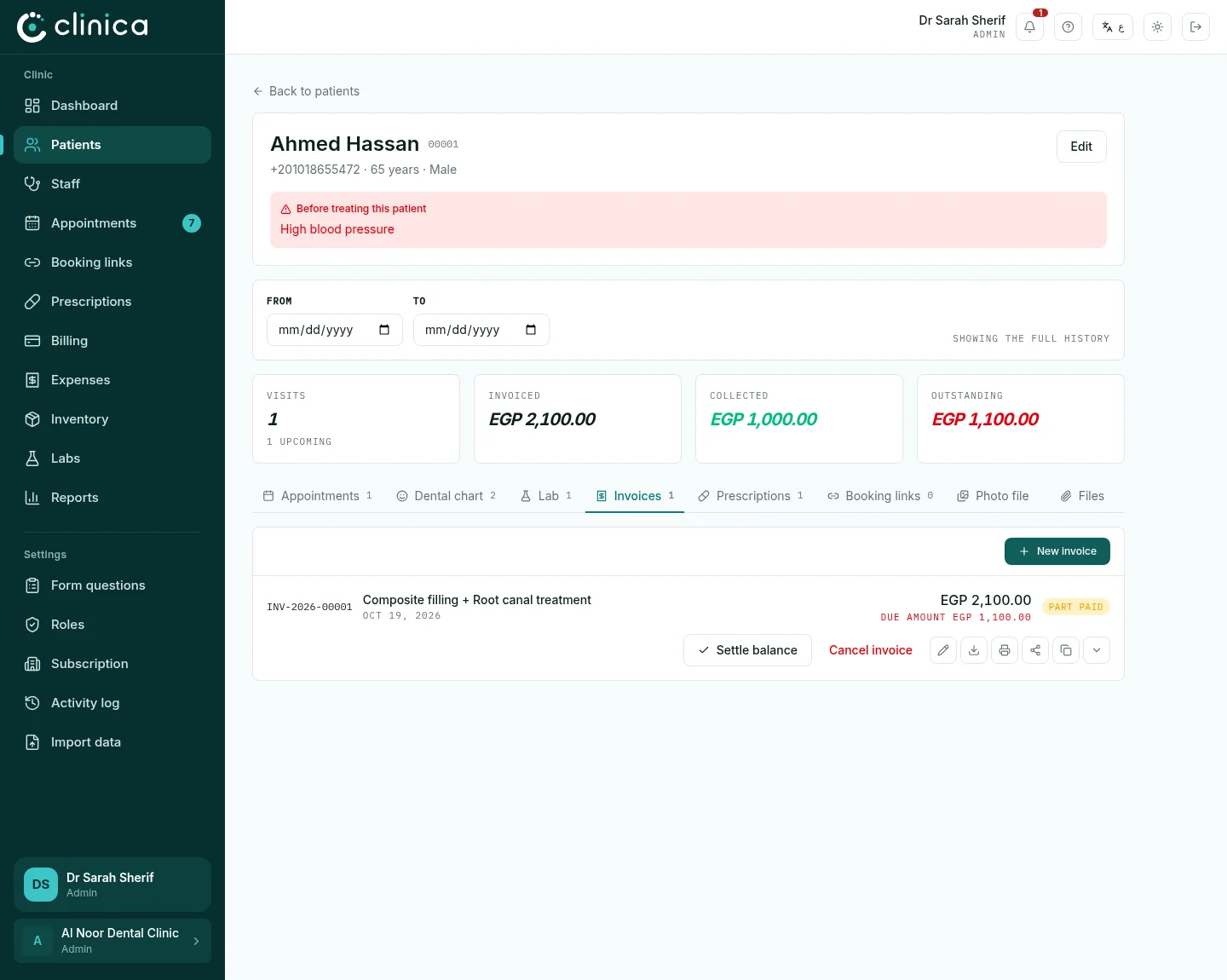
5Invoices and payments
Invoices lists the patient's invoices with what is paid and what is owed. Create one with New invoice, take money with Settle balance or a part payment under the invoice, and send the invoice on WhatsApp or download it as PDF.
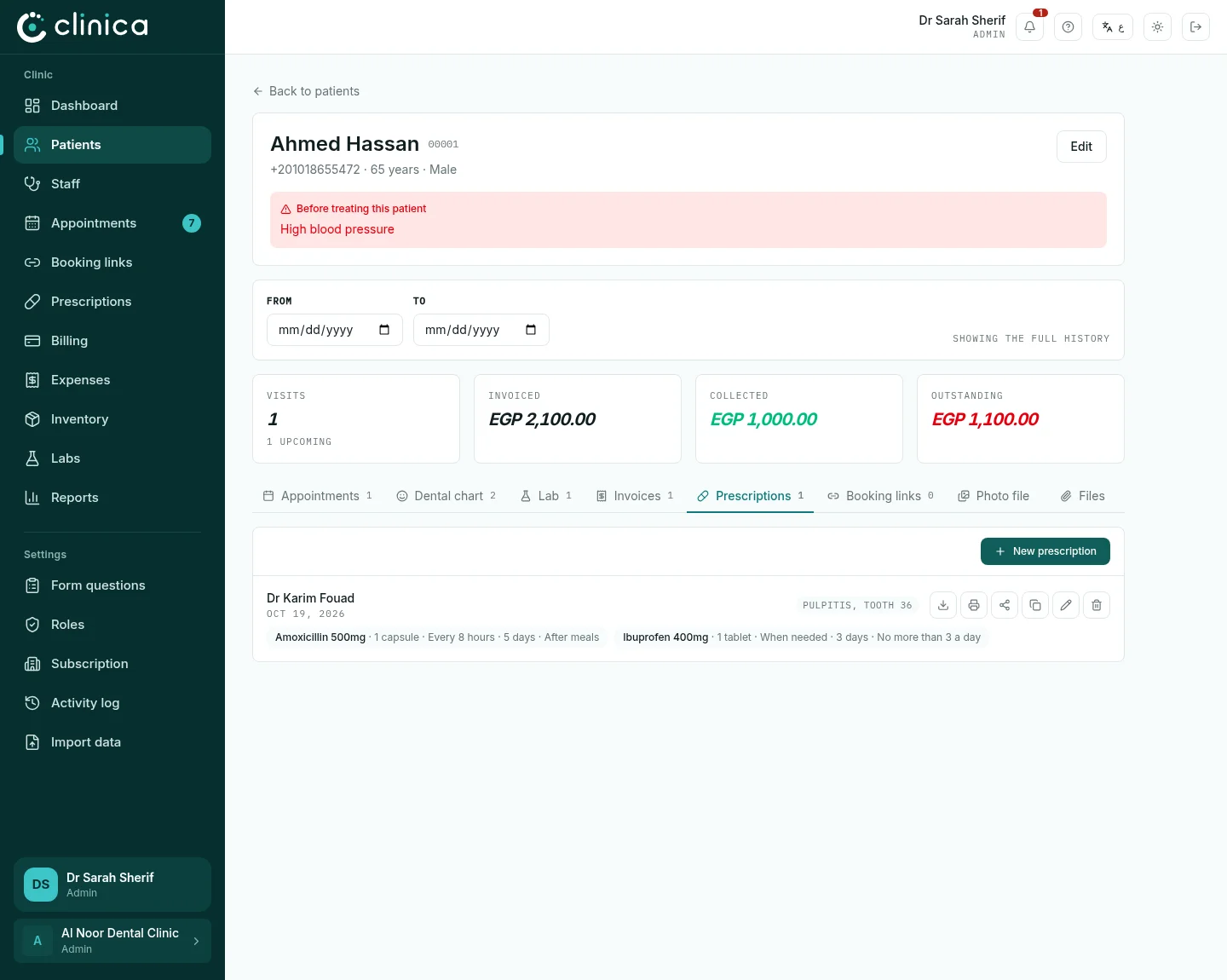
6Prescriptions
In Prescriptions, press New prescription, write the diagnosis and add each medicine with its dose, frequency and duration, then press Issue prescription. The prescription prints on your clinic's letterhead and can be sent on WhatsApp.
7The photo file
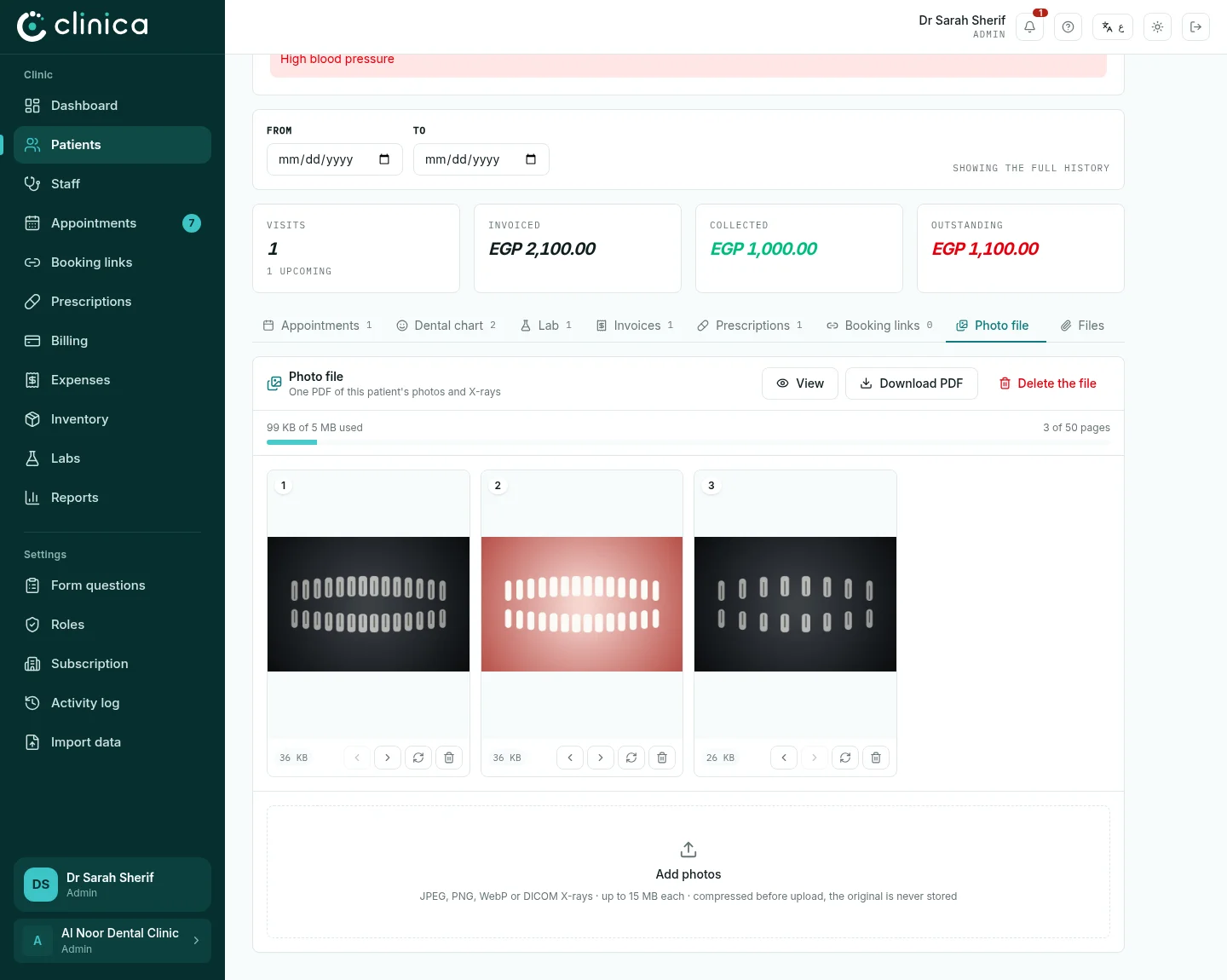
Photo file keeps the patient's photos and X-rays as one numbered file. Press Add photos to add pictures from the computer or the phone's camera; X-rays in DICOM format are accepted too. Open it with View or save it with Download PDF.
8Files
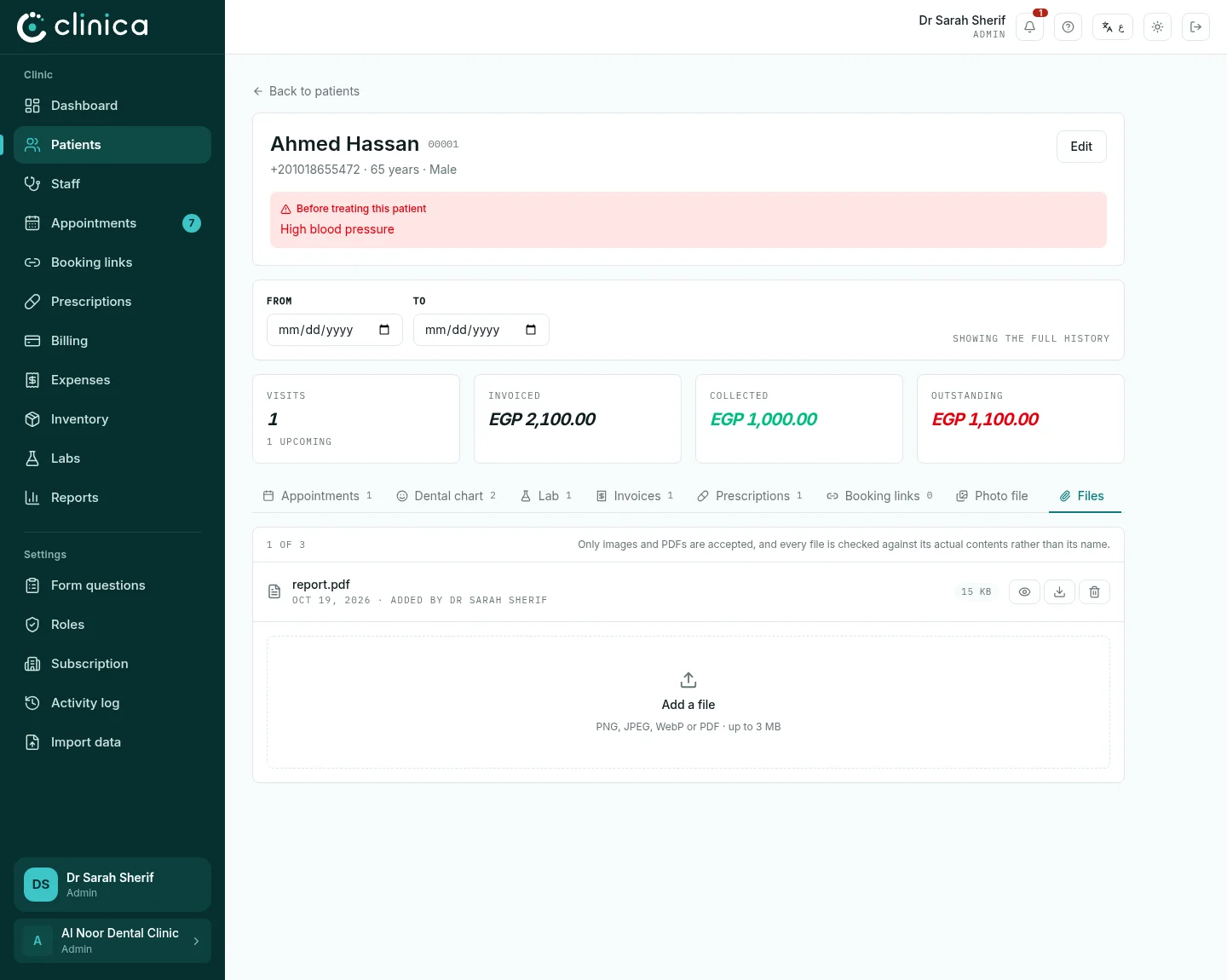
Files holds other documents, such as a report from another doctor or a lab result. Press Add a file: PNG, JPEG, WebP or PDF, up to 3 MB each.