The patient form questions
Make the patient form, and the booking page, match your clinic's own paper form.
The questions set here appear in two places: the patient form reception fills in, and the booking page a patient fills in from a booking link.
1Add your own question
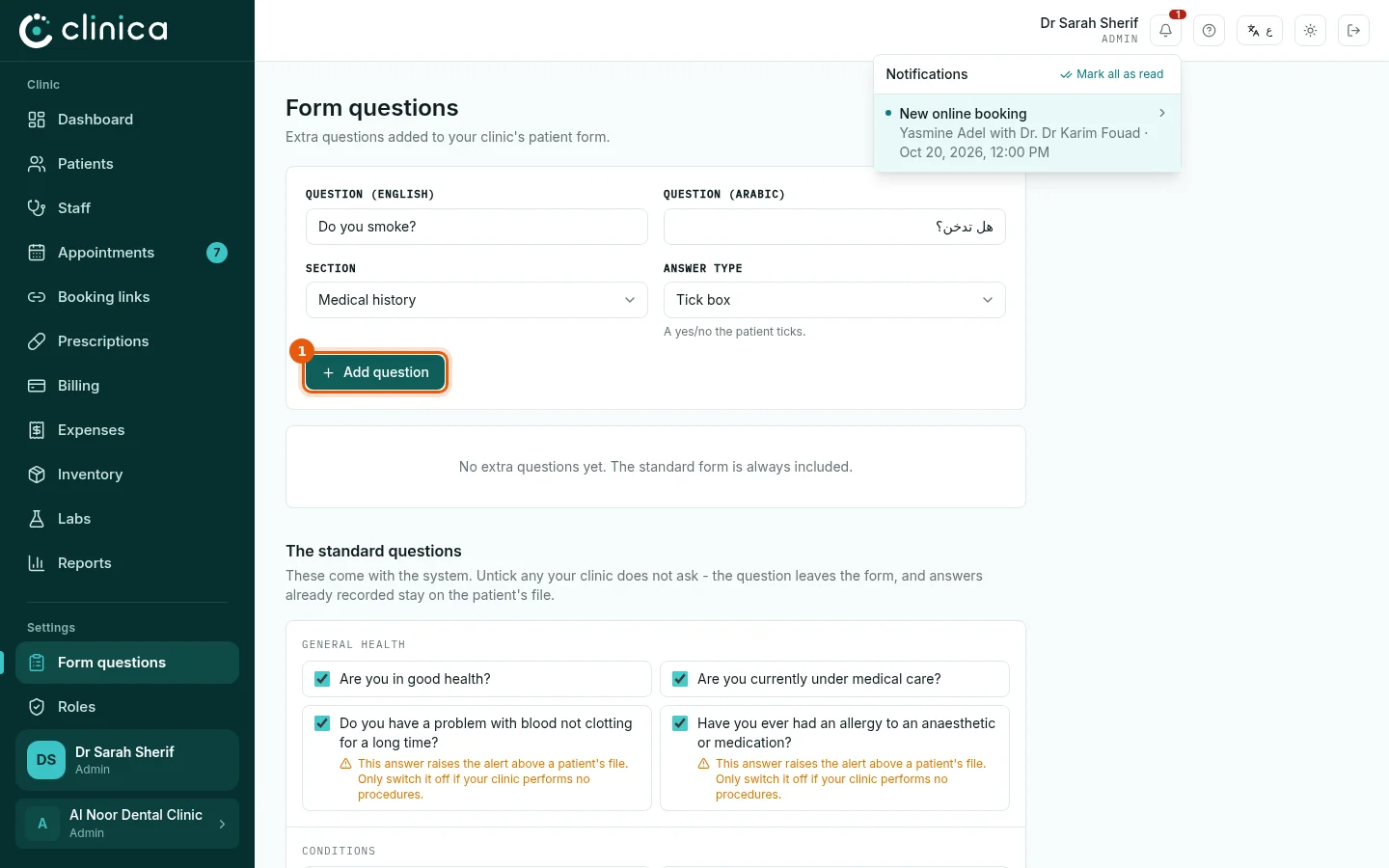
Open Form questions. Write the question in English and in Arabic, choose the section it belongs in and the type of answer: Tick box, Text, Number or Choose from a list. Then press 1 Add question.
2The standard questions
Under The standard questions are the questions that come with the system. Untick any your clinic does not ask: it leaves the form, and answers already recorded stay on the patients' files.
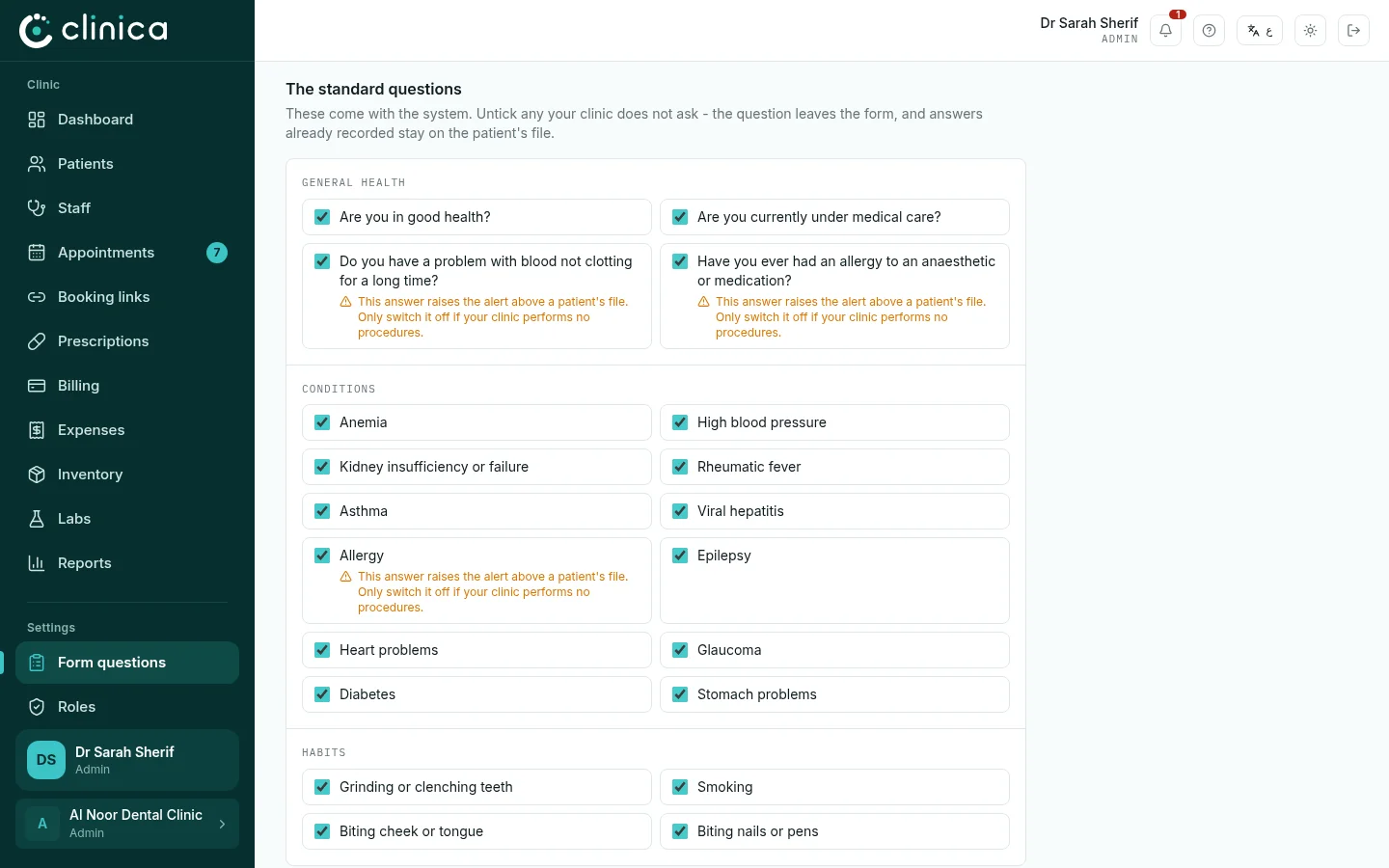 A few questions (bleeding problems, allergy to anaesthetics) raise the warning on a patient's file. Only switch them off if your clinic performs no procedures.