Appointments
Book, confirm, move, complete and cancel appointments.
1The appointments list
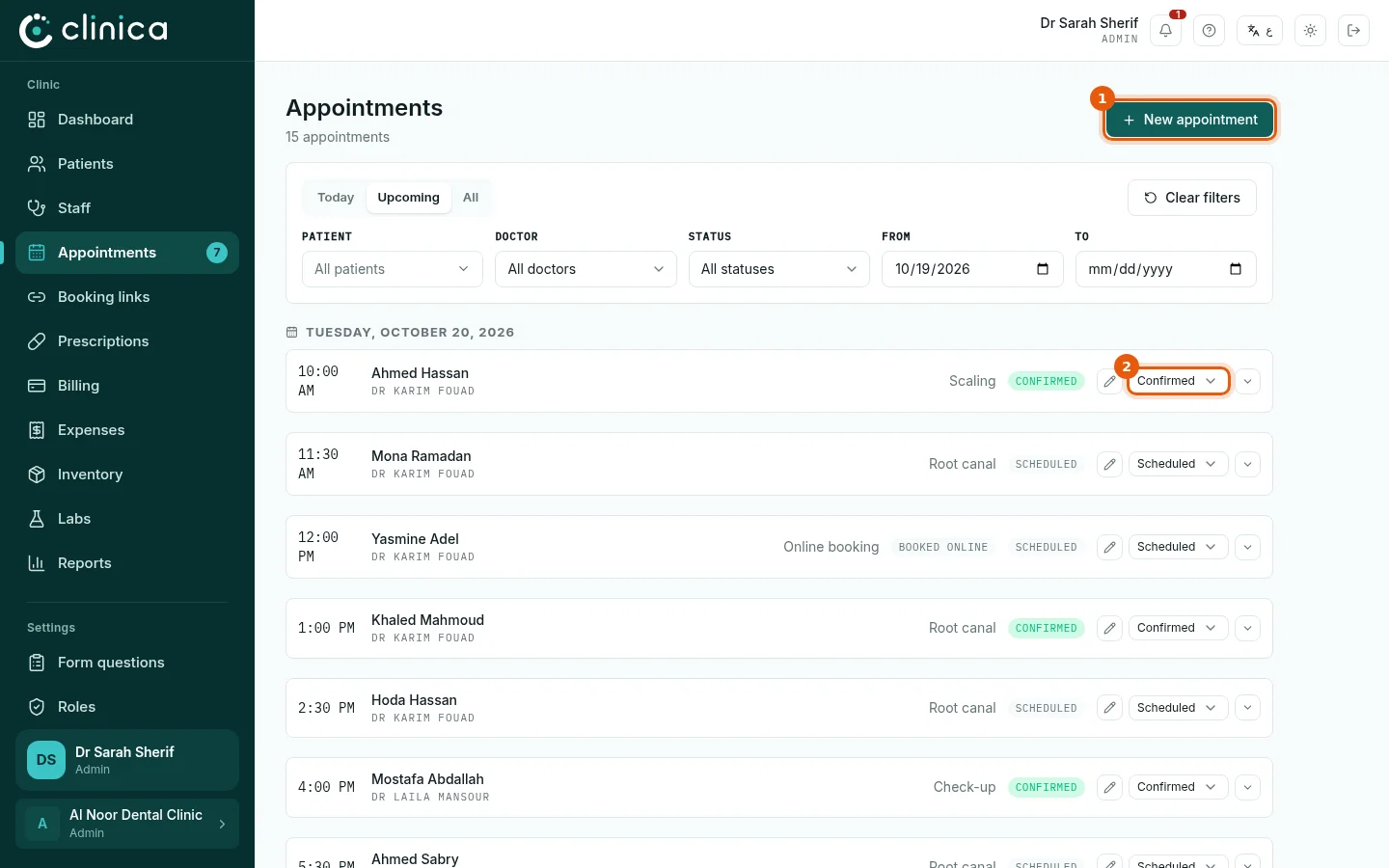
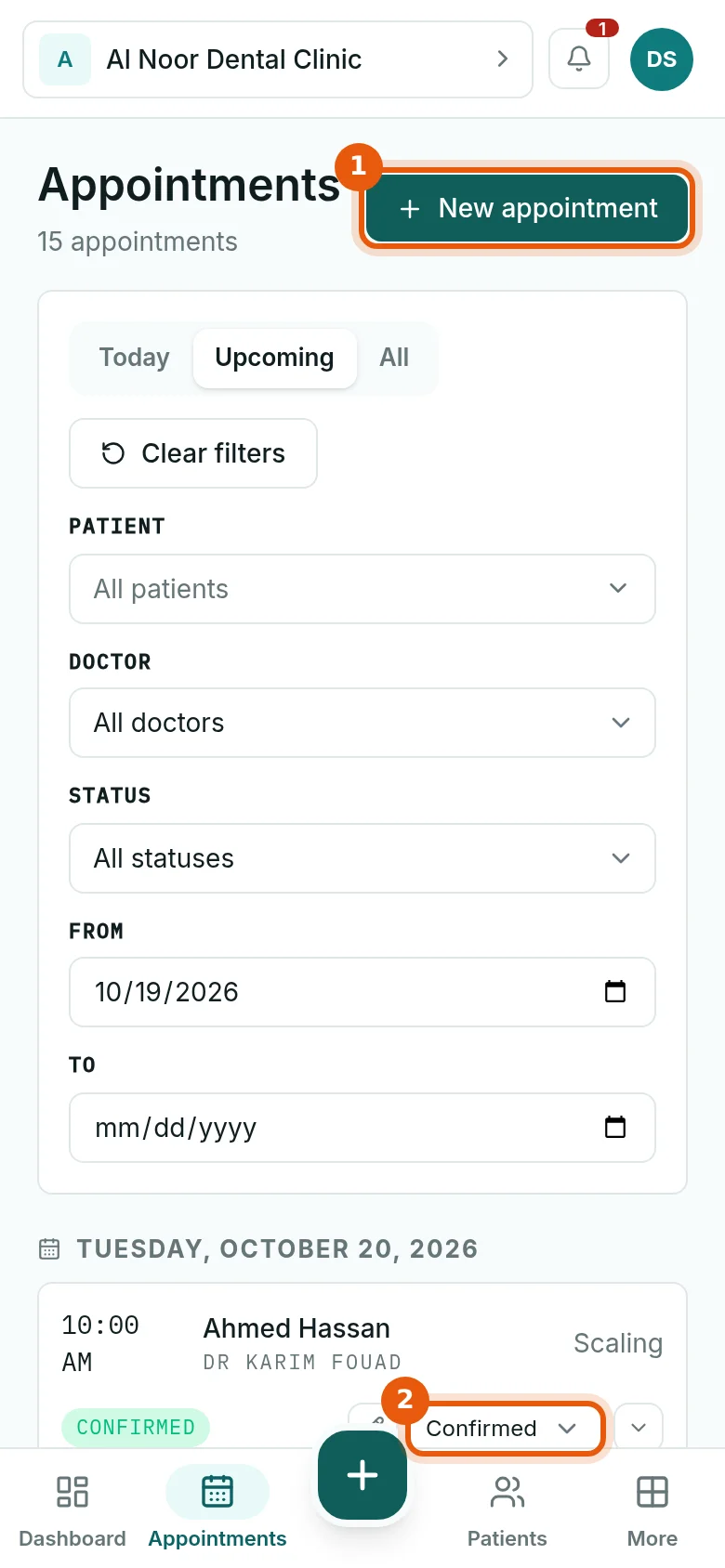
Open Appointments. Today shows today's diary, Upcoming everything ahead; filter by patient, doctor, status or dates. Press 1 New appointment to book. The number next to Appointments in the menu counts appointments not yet confirmed.
2Book an appointment
Choose the doctor, or leave any doctor, then one of the free times, and the patient. Add the reason and the room if you use them, and press Book appointment.
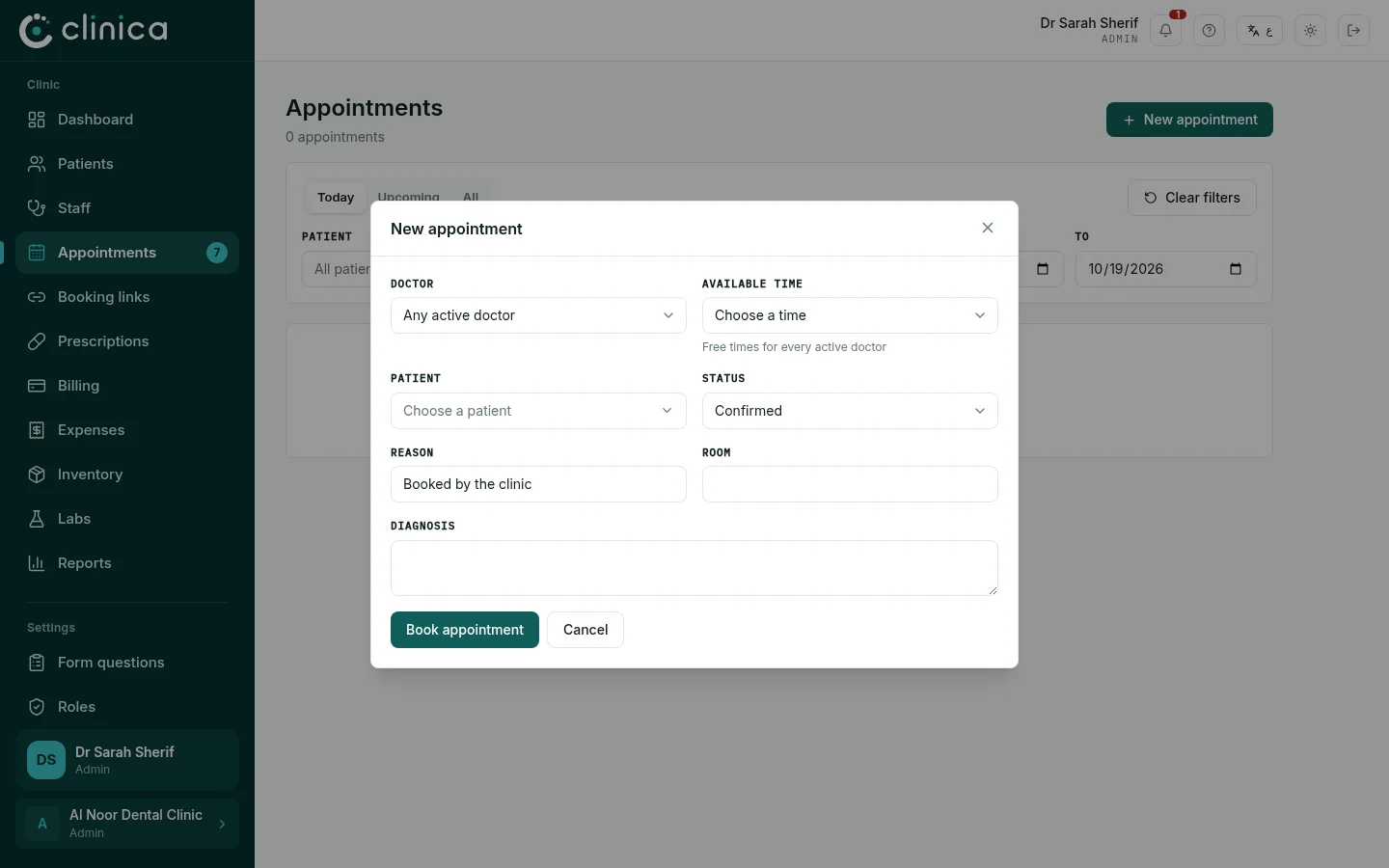 Only free times from the doctors' schedules are offered. If none appear, add working hours first (see Working hours and free times).
3Move an appointment through its day
Change the status from the list 2: Scheduled, Confirmed, Completed, No show or Cancelled. Cancelling asks for a reason and frees the time for someone else. To move an appointment to another time, edit it and choose a new free time.