Depends on your plan
Expenses
Record what the clinic spends, so profit and loss shows the real picture.
This feature is included in some plans only. If you do not see it in your menu, it is not part of your current plan; see the pricing page or contact us to upgrade. See the plans
1The expenses page
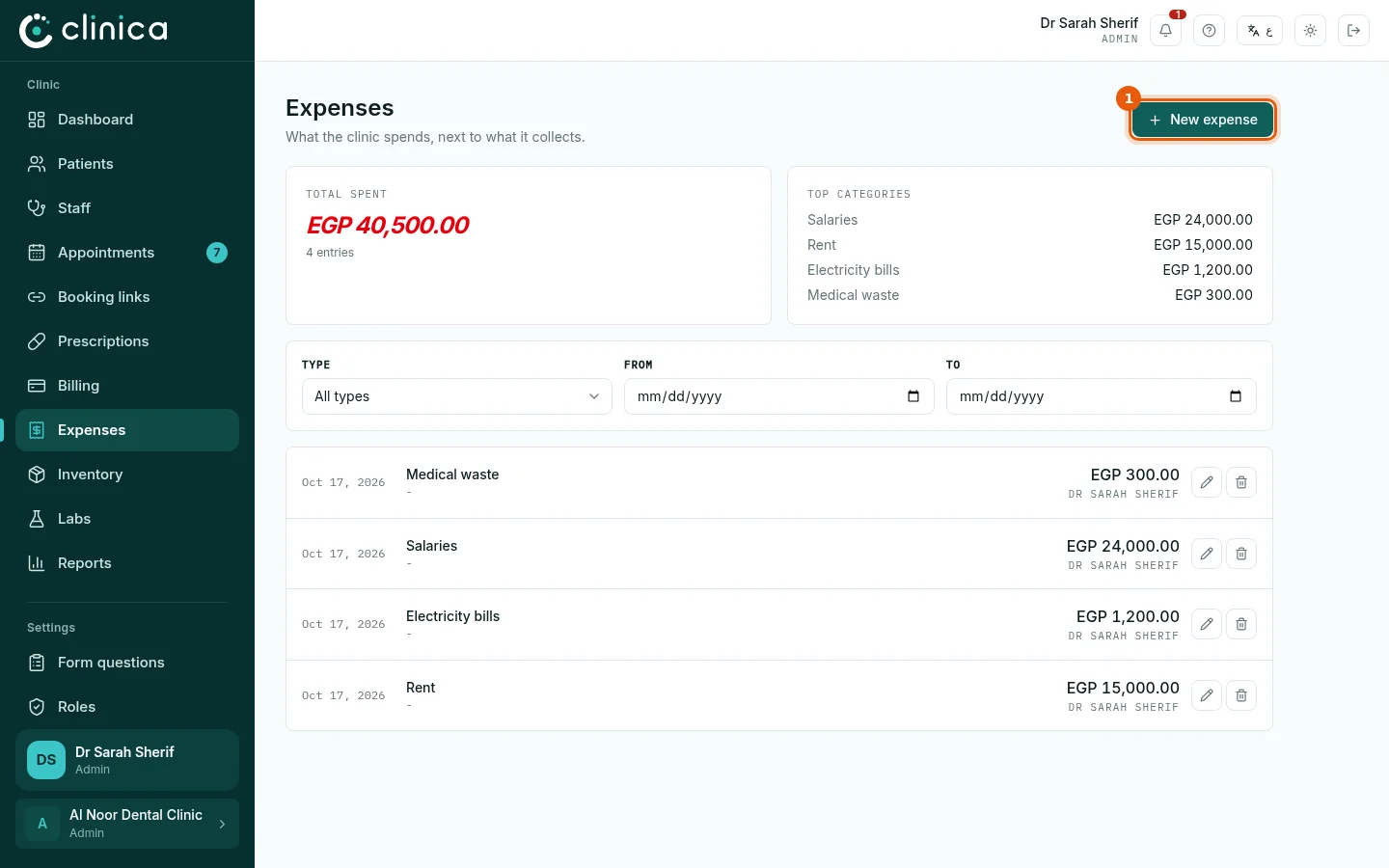
Open Expenses. The total spent and the top categories for the period are at the top, with every entry below; filter by type and dates. Press 1 New expense to record one.
2Record an expense
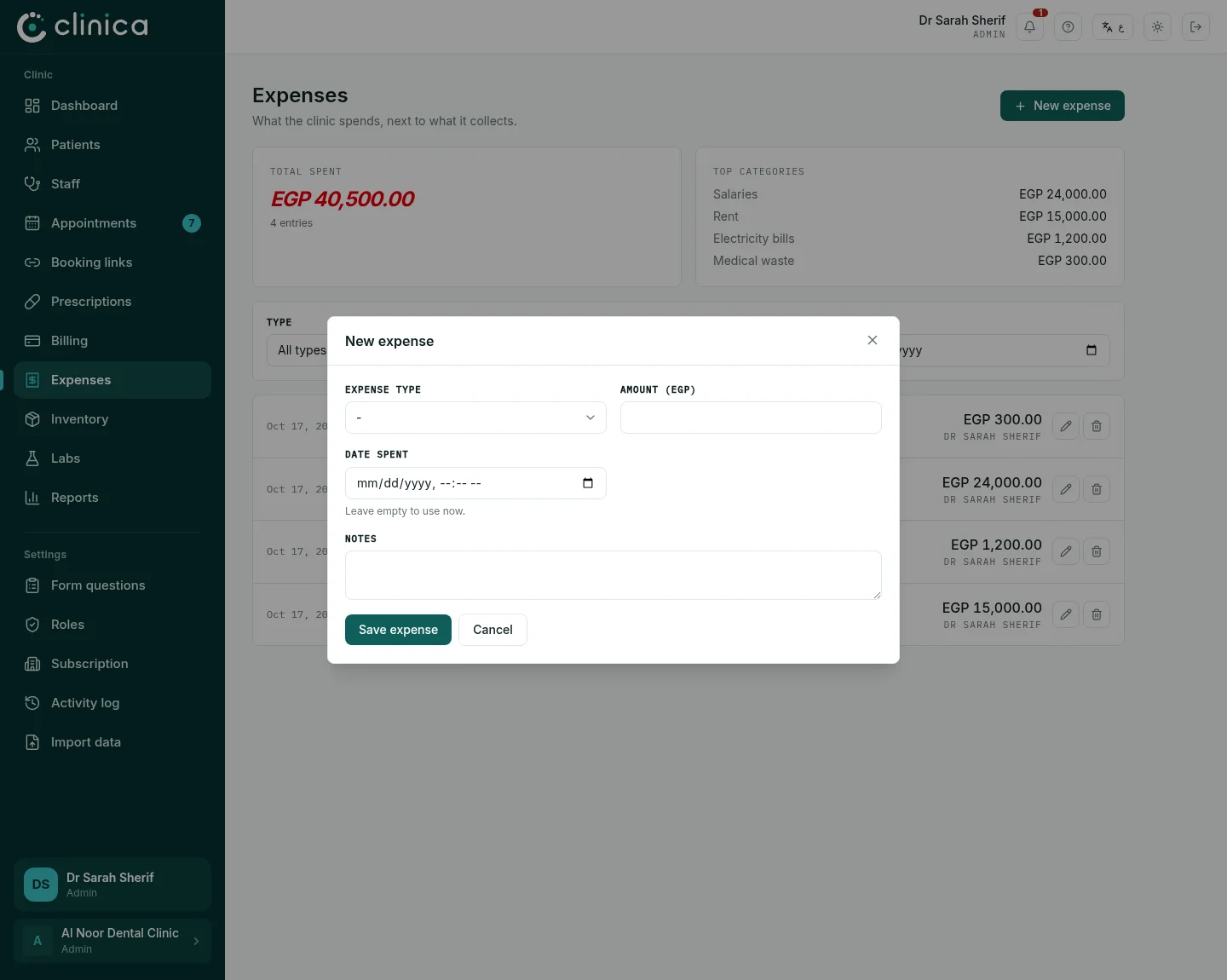
Choose the Expense type (rent, salaries, electricity, materials, labs, maintenance...), the amount and the date, and add a note if useful. For a salary you can name the Staff member; for a lab payment choose the Lab, which also lowers what the clinic owes it. Press Save expense.
 A delivery recorded in the inventory can be filed as an expense in the same step, so it is never entered twice. Every expense feeds the profit and loss report.